
Hướng dẫn cài đặt SEB cho Edunext trên MacOS
 Võ Anh Thiện
8 phút đọc
4483 views
Võ Anh Thiện
8 phút đọc
4483 views
[Engish below]
Hướng dẫn cài đặt phần mềm SEB (Safe Exam Browser) để làm bài Quiz và Kiểm Tra trên Edunext:
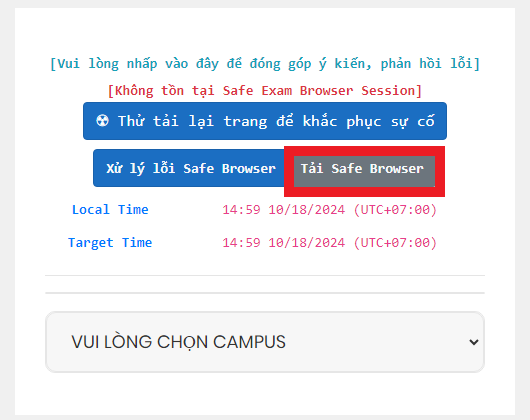
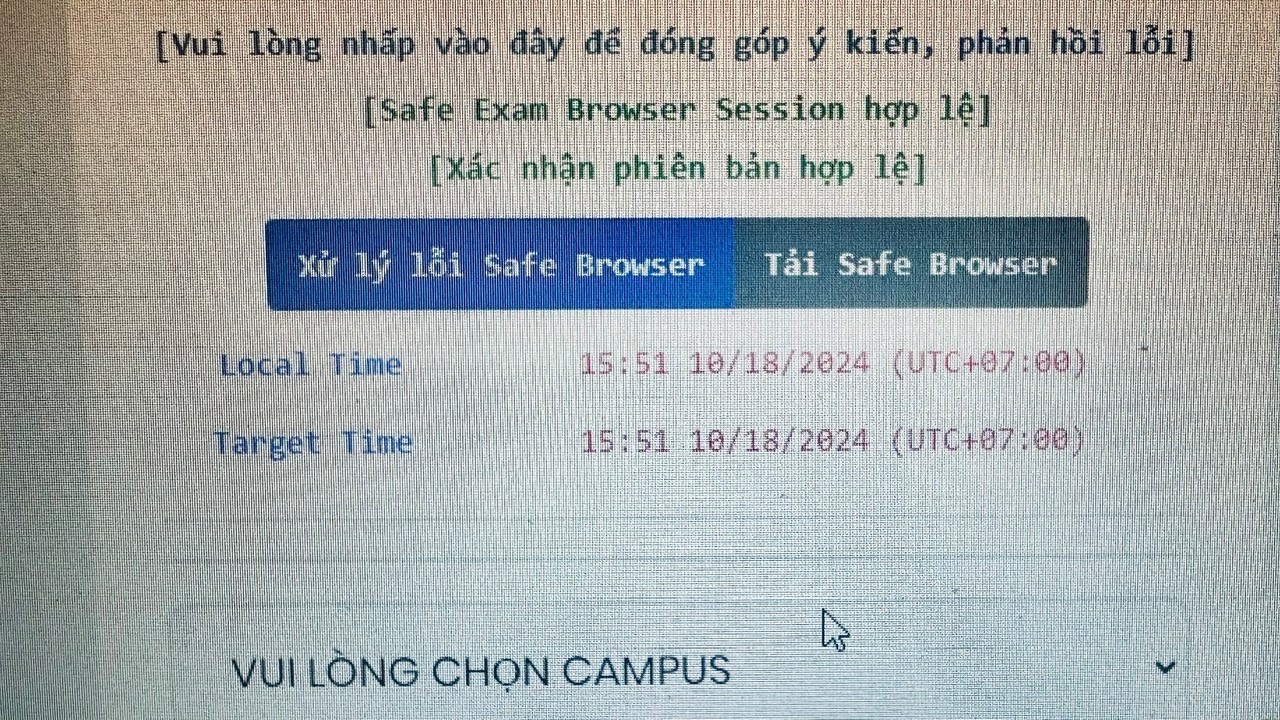
B1: Truy cập https://exam.fpt.edu.vn/ và chọn “Tải Safe Browser”.
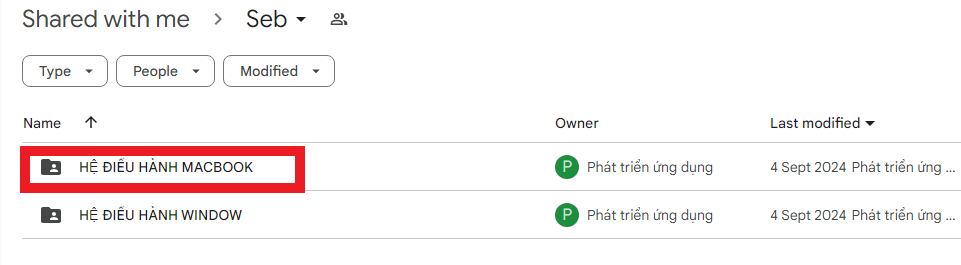
B2: Chọn mục “HỆ ĐIỀU HÀNH MACBOOK”.
B3: Tải về file “SEB3.5_AutoInstall.pkg”.

- Chạy file “SEB3.5_AutoInstall.pkg” để bắt đầu cài đặt SEB.
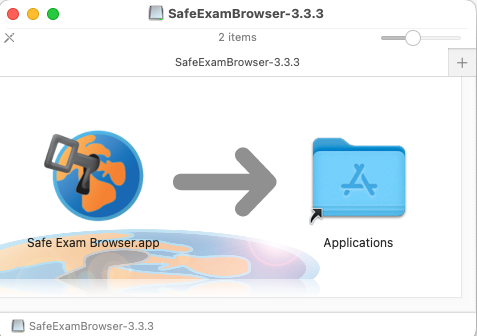
- Kết quả.
ENGLISH
Guide to Install SEB (Safe Exam Browser) for Quizzes on Edunext:
Method 1: Automatic Installation
STEP 1: Access to website https://exam.fpt.edu.vn/ and choose “Tải Safe Browser”.
STEP 2: Choose folder “HỆ ĐIỀU HÀNH MACBOOK”
STEP 3: Download and Run file “SEB3.5_AutoInstall.pkg”
Run file “SEB3.5_AutoInstall.pkg” to install SEB
Result
KHÁC
- 1 . Hướng Dẫn Chỉnh Lại Chuột Về Mặc Định Trên Windows
- 2 . Cách Bật Windows Update
- 3 . Hướng Dẫn Sửa Lỗi Đen Màn Hình
- 4 . Hướng dẫn sửa lỗi Safe Exam Browser (SEB) – Prohibited Display Configuration
- 5 . Hướng dẫn gỡ cài đặt 360 Total Security hoàn toàn trên Windows
- 6 . Sơ đồ phòng học Đại học FPT HCM
- 7 . Sơ đồ phòng học Campus FPTU HCM
- 8 . Hướng dẫn cài đặt ứng dụng MyFPT Next dành cho giảng viên
- 9 . Hướng dẫn cài đặt SEB cho Edunext trên MacOS
- 10 . Hướng dẫn cài đặt SEB cho Edunext trên Windows